Auto Frame Range
A Timeline Utility that Automatically Updates and Set Scene’s Frame Range to Match Action, NLA, or Sequencer
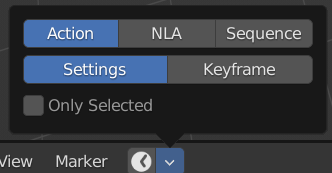
Mode
Action: Auto Frame Range Checks the Action of Objects

NLA: Auto Frame Range Checks NLA Strips

Sequencer: Auto Frame Range Checks Video Sequencer Strips

Note
If you Turn On Only Selected on NLA and Sequencer Mode, It will not Update When You Select the Clip
It will Only Update if you Move the Strip, that is One of the limitation of this feature

Action Mode
Settings: Check Manual Frame Range
Keyframes: Ignores Manual Frame Range, Only Use First and Last Keyframe Of Action (Curve Frame Range)
Only Selected
Limits the Checking to Only Selected instead of all objects in the scene
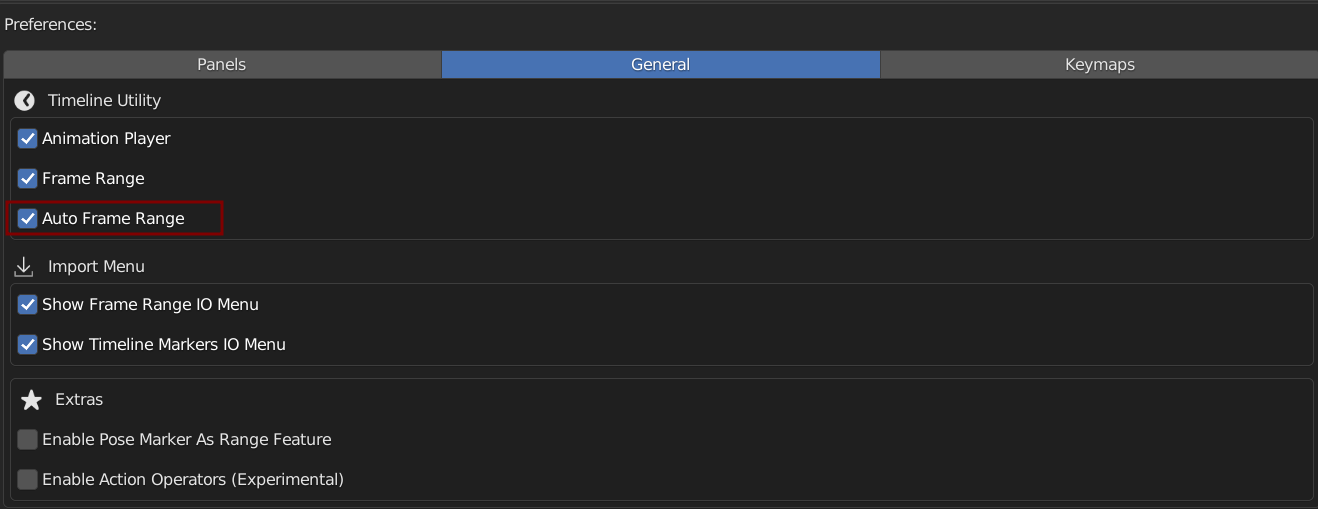
Preferences
You Can Turn Enable / Disable Auto Frame Range in Preferences